Settings
 Fast Delivery
 Free Shipping
 Incoterms
 Payment Types


 Marketplace Product

How to Use Modulo With Arduino
2026-01-12 | By Maker.io Staff
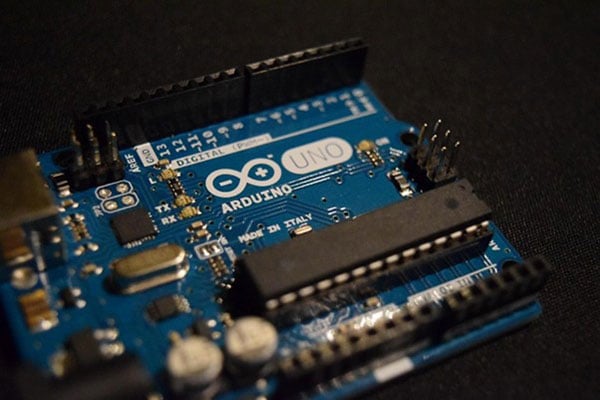
Many everyday tasks on an Arduino require values to stay within an allowed range, with most approaches making the code more complicated than necessary. The modulo operator can help alleviate this and many other related problems while keeping the code short and clean. Read on to learn more about the operator and things to keep in mind to master it and use it to your advantage.
What Is the Modulo Operator?
The modulo operator, sometimes called the remainder operator, is a standard mathematical function in C++ and many other programming languages. It uses the percentage sign (%) and returns the remainder after integer division, which is always a whole number.
The basic syntax is similar to standard division. For example, the following line calculates the remainder after dividing a (the dividend) by b (the non-zero divisor):
int remainder = a % b;
The operator can feel unfamiliar at first, but people often use it daily without even noticing. For example, imagine it’s 10 p.m., and you want to set your alarm in eight hours. The 12-hour clock wraps around at 12 a.m., and simply adding eight to 10 p.m. without wrapping over results in 18 p.m., which is not a valid time. Instead, you intuitively divide 18 by 12 and keep the remainder, which is six, to arrive at 6 a.m.:
int divResult = 18 / 12; // this is 1
int modResult = 18 % 12; // this is 6
Why Use the Modulo Operator?
As the clock example demonstrates, the mod operator is commonly used to keep values within valid bounds. For example, it can ensure that hours do not exceed 12 or 24, depending on the clock format. The modulo operator can seem unnecessarily complicated at first because other constructs could achieve the same result. For instance:
int hours = getCurrentHours(); // A positive integer
while (hours > 12) {
  hours = hours - 12;
}
However, the modulo operator can do the same as the while-loop, but condensed into a single line:
int hours = getCurrentHours() % 12; // A positive int [0, 11]
The code using the modulo approach simplifies and condenses wrap-around logic into a single line of code. The result is a program with fewer branching paths and code that is easier to understand. In some cases, shorter code may also result in smaller compiled binaries, which can be crucial on MCUs with limited program flash memory.
Common Modulo Uses in Arduino Projects
Although the modulo operator is not unique to the Arduino, it has many uses in DIY and maker projects. Most commonly, it is used in one of two major scenarios: To clamp array indices to a valid range and when working with the Arduino millis() function.
The mod operator can be a tremendous help when implementing circular buffers and ensuring that array indices stay within the valid range. Similarly, it can be a great help when cycling through GPIO pins to prevent the program from accessing non-existent pins.
When used with millis(), modulo can be used to create repeating timing patterns without needing additional variables or relying on subtraction. It can also be used to convert the milliseconds returned by millis() into other units, such as seconds or minutes:
 // Seconds (0-59)
unsigned long seconds = (currentMillis / 1000) % 60;

// Minutes (0-59)
unsigned long minutes = (currentMillis / (1000 * 60)) % 60;

// Hours (0-23)
unsigned long hours = (currentMillis / (1000 * 60 * 60)) % 24;
Using Modulo on Arduino for Periodic Events
You likely will have already seen the following code snippet in one way or another. It uses the millis() function to toggle the built-in LED once every two seconds:
unsigned long timeToWait = 2000UL;
unsigned long previousMillis = 0UL;
void setup() {
pinMode(LED_BUILTIN, OUTPUT);
}
void loop() {
  unsigned long currentMillis = millis();
 if (currentMillis - previousMillis >= timeToWait) {
  previousMillis = currentMillis;
  digitalWrite(LED_BUILTIN, !digitalRead(LED_BUILTIN));
   }
 }
The common approach is to store the previous millis() result and subtract it from the millis() value during the next loop call to determine whether enough time has elapsed.
Although it seems harmless, this snippet can cause problems. The behavior of millis() depends on the target MCU. On 16-bit architectures, the timer rolls over to zero roughly every 65 seconds; on 32-bit boards, it continues for about 50 days before resetting. Code that assumes that the timer goes on indefinitely and relies on comparisons or subtractions can break or behave unexpectedly after the timer has reset.
The modulo operator naturally solves this problem by ensuring that the remainder is always between zero and the timeToWait (not including the upper bound). It also results in shorter code:
unsigned long timeToWait = 2000UL;
void setup() {
   pinMode(LED_BUILTIN, OUTPUT);
}
void loop() {
  if (millis() % timeToWait < 250) {
   digitalWrite(LED_BUILTIN, !digitalRead(LED_BUILTIN));
     }
}
Note that the snippet allows for some inaccuracy by checking whether the timing is within 250 milliseconds of the target to ensure that the loop does not miss any events. In some instances, this approach may be too imprecise.
Implementing a Circular Buffer Using Modulo
Circular buffers are another common use case for the modulo operation. This data structure has a fixed size, and once full, each new element overwrites the oldest one, starting again from the first position. The modulo operator ensures that elements are added only to valid positions, and it’s used to conveniently loop back to zero after reaching the last valid index:
const int SIZE = 16;
int buffer[SIZE];
int nextPosition = 0;

void add(int value) {
  buffer[nextPosition] = value;
  nextPosition = (nextPosition + 1) % SIZE; // Constrain to range
 [0 … SIZE-1]
}
When calculating the new value for nextPosition, the code always adds one and then uses the modulo operator with the buffer’s length, defined in SIZE, to loop back to zero if the result would exceed the bounds.
Modulo Operator Pitfalls on Arduino
One aspect that is often overlooked when using modulo in C++ is that the remainder always retains the sign of the dividend, even if the division would result in a positive number:
int a = 5 % 2; // a = 1
int b = -10 % 3; // b = -1
int c = -9 % -2; // c = -1
int d = 17 % -8; // d = 1
This behavior can cause a problem on platforms where a timer, for example, does not reset to zero and instead underflows to the minimum value. Similarly, it can lead to invalid lower bounds when not accounted for.
It’s equally important to remember that, like standard division, the modulo operator is not defined if the divisor is zero:
int x = 100 / 0; // Not defined!
int y = 129 % 0; // Also not defined
These division-by-zero problems do not show up during compilation. However, they cause the program to crash or behave unexpectedly, leading to issues that are usually difficult to debug and fix.
Similarly, any zero-value dividend modulo any non-zero value always results in zero in C++, which may not be what programmers would intuitively assume:
int c = 0 % 100; // = 0
int d = -0 % 20; // = 0
When Not to Use Modulo
Although effective, the modulo operator can be overused quickly. Because programmers should generally aim for code that is easy to understand, it can be better to stick with longer if/else blocks or loops instead of replacing them. This is especially true when writing code for beginners, who may not be familiar with the modulo syntax or its pitfalls.
It’s also worth remembering that modulo relies on numeric division, which can be slower on some platforms than simpler operations such as subtraction or branching. If performance is crucial, utilizing simpler operations can improve execution times. This is particularly true when the divisor is a power of two, where bit-masking or bit-shifting is often faster.
As always in programming, writing code requires a trade-off between brevity and clarity, and sometimes longer code can result in better performance, even if the solution is not as clever.
Summary
Many tasks on an Arduino require keeping values within a certain range, and the modulo operator is a simple way to do that while keeping code short and clean. It returns the remainder after integer division, and it’s particularly handy for wrap-around logic, like clocks, counters, or array indices.
With modulo, programmers can replace longer loops or if/else checks, condensing them into a single line. This not only makes the code easier to read but can also reduce branching and even shrink compiled binaries, which matters on MCUs with limited flash memory. On Arduino, modulo shines in two major scenarios: clamping values to valid ranges and working with millis().
However, there are a few areas of caution. First, the remainder always takes the sign of the dividend. Modulo by zero is undefined and will result in unexpected program behavior. Performance-wise, modulo involves division, which can be slower than simpler arithmetic or branching, especially on streamlined MCUs.
Ultimately, modulo is a powerful tool. However, like all tools, it’s best used where it makes sense. Sometimes longer, clearer code is better, and performance-critical sections may benefit from simpler alternatives. The key is to balance brevity, clarity, and efficiency.